Jupyter Tips & Tricks for Python, R, Julia
A compilation of Jupyter tips for running Python, R, Julia code and kernel management
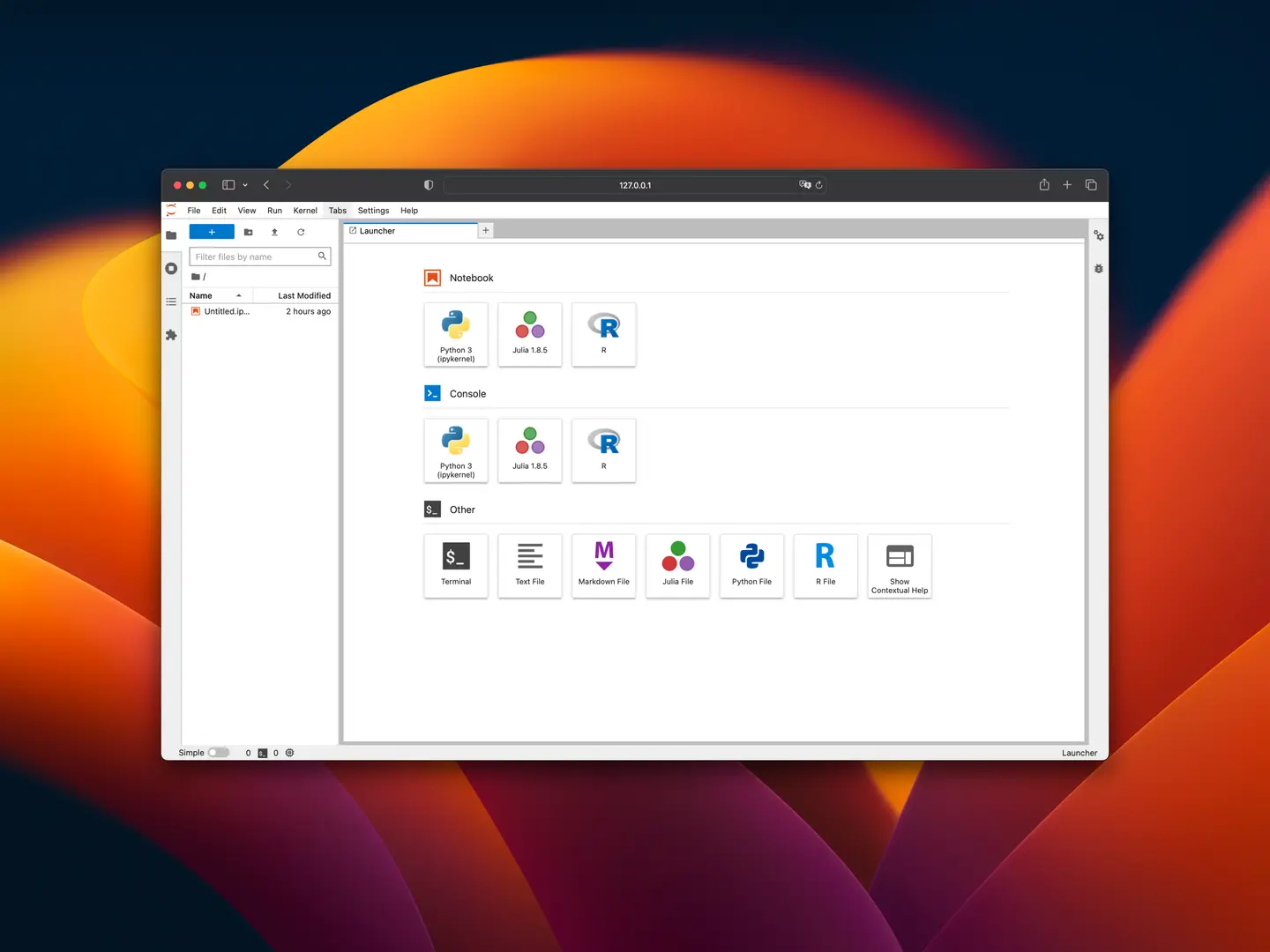
Table of Contents
Jupyter is a popular tool for data science as it provides a user-friendly web-based interface for writing, executing code and observing the results in real-time.
Jupyter is not just for Python. The same notebook interface runs R, Julia, Scala, Bash, JavaScript and dozens of other languages — anything with a maintained kernel. Treating Jupyter as a polyglot environment, rather than a Python notebook, unlocks a lot of value. The rest of this note collects the kernel-management, polyglot, reproducibility, and productivity tips I keep reaching for.
Kernel Managementcopied
One of the charms of Jupyter is that it can support multiple programming languages such as Python, R, Julia and others by installing different kernels into the user's local machine. Having a basic understanding of Jupyter kernels will help you appreciate Jupyter better and give you an idea of fully utilising the tool.
When you use a Jupyter notebook, you write code in cells and run them. A kernel is a program that executes the code and returns the results to the Jupyter notebook. Each kernel is written specifically for a particular language and contains the components and dependencies required to execute code written in that language.
List Installed Kernelscopied
You can list the installed kernels by running jupyter kernelspec list in the terminal.
Sample Output:
Available kernels:
  ir           /Users/walter/Library/Jupyter/kernels/ir
  julia-1.8    /Users/walter/Library/Jupyter/kernels/julia-1.8
  python3      /opt/homebrew/Caskroom/miniconda/base/share/jupyter/kernels/python3
Remove a Kernelcopied
Run jupyter kernelspec remove <kernel-name>
Sample Output:
Kernel specs to remove:
  ir                    /Users/walter/Library/Jupyter/kernels/ir
Remove 1 kernel specs [y/N]:
Add a Kernelcopied
The steps to add a kernel varies from language, and the installation steps may be obscure for a user from another programming language.
The following steps assume that the programming language has already been installed.
Adding Python Kernelcopied
Run pip install jupyter in your terminal.
Adding R Kernelcopied
- From the terminal, type
Rto start R console. - In R console, type
install.packages("IRkernel")to install IRkernel package - Type
IRkernel::installspec()to register the kernel in the current R installation
Alternatively, you can use RStudio GUI to install the package in place of step 1 and 2.
Adding Julia Kernelcopied
- From the terminal, type
juliato start julia console - In julia console, type
Pkg.add("IJulia")to install IJulia package.
Polyglot Workflowscopied
Jupyter makes it possible to switch between programming languages across cells in a single notebook.
Shell and cell magics for other languagescopied
In a Python kernel, IPython gives you two escape hatches into other interpreters:
!cmd: line-level shell escape. One command per line, runs in a subshell (variables don't persist across lines). Great for quick!ls,!pip install pandas,!git statuscalls.%%bash: cell-level shell magic. The whole cell is a single bash script, so multi-line scripts work and variables persist within that cell.%%R: run an R cell inside a Python notebook (requiresrpy2and%load_ext rpy2.ipython).%%julia: call into Julia from Python (requiresPyJulia).%%javascript,%%html,%%latex: for rendering output.
Note that the language cell magics (%%R, %%julia, …) only exist in the %% form, while ! is shell-only.
This is especially useful when most of notebook is in Python with a couple of cells in another programming language.
Passing data between languagescopied
With rpy2, you can push Python objects into R and pull R objects back:
%load_ext rpy2.ipython
%%R -i my_pandas_df -o r_result
# my_pandas_df is now an R data.frame
r_result <- summary(my_pandas_df)
The equivalent for Julia (PyJulia) and Octave (oct2py) is similar.
Environment Isolationcopied
To keep notebooks reproducible, keep your environment isolated per project and per-language.
- Python: one virtualenv (or conda env) per project, registered as its own kernel via
python -m ipykernel install --user --name=<env-name> --display-name="Python (<env-name>)". Don't share kernels across projects. - R: use
renvfor per-project package locks.renv::init()snapshots the environment intorenv.lock. - Julia: use
Pkg.activate(".")to pin to a project-localProject.tomlandManifest.toml. Julia's environment story is the cleanest of the three.
The general rule: the kernel binds to an environment. Move that environment with the project, not with your machine.
Notebooks Under Version Controlcopied
Raw .ipynb files diff poorly with git version control. Outputs and execution counts make diffs noisy and hard to review. Three tools that fix this:
nbstripout: git filter that strips outputs on commit so diffs stay code-only. Install once per repo withnbstripout --install.jupytext: pairs each.ipynbwith a.py(or.md, or.R) plain-text mirror that's easy to diff and review.nbdime: content-aware diffs and merges for.ipynbfiles.
For repos with multiple collaborators, agree on 1 tool within the team. jupytext is the most reviewer-friendly while nbstripout is the lowest-effort.
Reproducibility & Parameterisationcopied
Notebooks are great for exploration and interactive analysis, but for repeatable execution (such as scheduled jobs or production workflows), they should be treated more like parameterised, reproducible scripts.
papermill: execute a notebook with injected parameters from the CLI. Useful for batch runs, scheduled jobs, and per-customer report generation. Parameters go into a cell taggedparameters; papermill rewrites that cell on execution.nbconvert: convert notebooks to HTML, PDF, or scripts. A notebook can be rendered as an HTML report usingjupyter nbconvert --execute --to html notebook.ipynb.
Shell Aliasescopied
This is my personal tip:
I like to add aliases for commonly used commands. For example, I can type jl to start jupyter lab and jn to start jupyter notebook.
alias jn='jupyter notebook'
alias jl='jupyter lab'
See update alias · davzoku/dotfiles@baf915a
Referencescopied
Jupyter & IPython core
- Jupyter Kernel Documentation
- List of Jupyter Kernels
- IPython Built-in Magics — full reference for
%,%%, and! - ipykernel — installable Python kernel
Cross-language interop
Environment management
- renv — per-project R environments
- Julia Pkg & Project.toml — Julia environments
- conda / venv — Python isolation
Version control
- nbstripout — strip outputs on commit
- jupytext — pair
.ipynbwith.py/.md - nbdime — content-aware notebook diffs
Execution & rendering